
Entity Map
ProStep-by-step guide to publish /entitymap.json and /entitymap.html from SEO Booster Tools so AI systems understand your organization and content relationships (Pro).
Tools overview · llms.txt · Pro Tools
Admin path: SEO Booster → Tools → Entity Map (Pro)
llms.txt tells AI where to start. Entity Map tells AI who you are.
Entity Map is a Pro Tools feature that publishes a curated map of your organization and important content as /entitymap.json (for machines) and /entitymap.html (for humans). Free installs keep the llms.txt generator; Pro unlocks the Sources & organization → Edit & refine → Publish live wizard in Tools.
This marketing site publishes a live example at /entitymap.json and /entitymap.html.
Step-by-step guide
The Tools UI walks you through three steps. Nothing is public until Step 3.
Before you start
- SEO Booster Pro is active on your site
- Open SEO Booster → Tools → Entity Map
- Helpful (not required): Google Search Console connected, AI bot tracking enabled, llms.txt configured
You can build and edit a draft without AI. Generate with AI needs WordPress Connectors or SEO Booster Credits under Settings → AI / LLM.
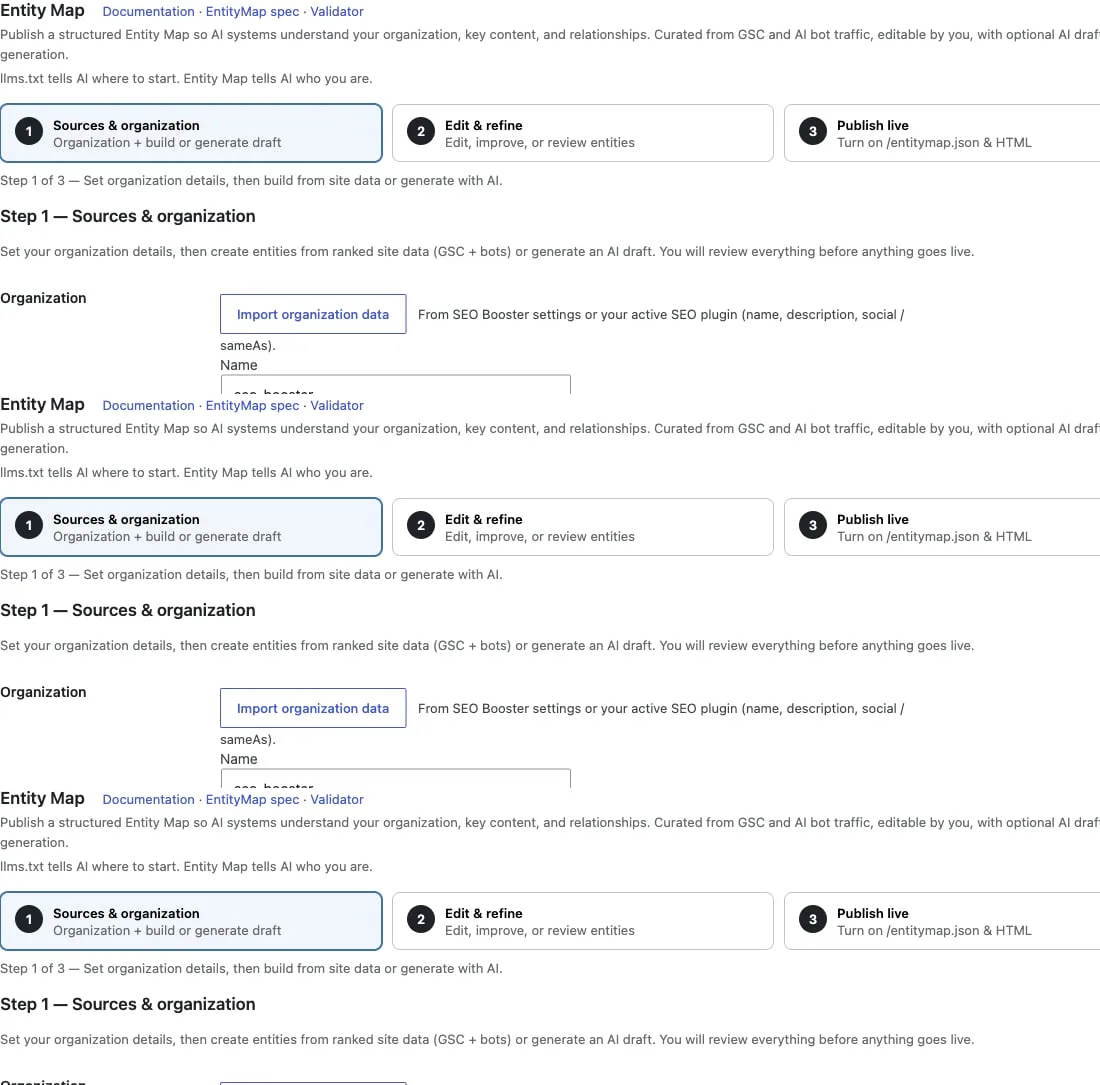
Step 1, Sources & organization
Goal: Create a private draft from your site data or optional AI.
- In Step 1, Sources & organization, fill in Organization:
- Name and Description (defaults to your WordPress site title and tagline if left blank)
- External profiles (sameAs), one URL per line (Wikidata, WordPress.org plugin page, LinkedIn, etc.)
- Optionally click Import organization data from SEO Booster settings or your active SEO plugin
- Under Curation:
- Leave Sync content selection with llms.txt settings on (recommended), or turn it off to pick your own Content types and Directory rules
- Set Max content entities to keep the map focused
- Optionally enable Include FAQ blocks from your SEO plugin as entity chunks (Yoast, Rank Math, All in One SEO, SEOPress, or The SEO Framework)
- Under Create draft, click Build from site data (uses ranked GSC pages and AI bot traffic when available).
- Or click Generate with AI if Connectors or Credits are configured.
- When the draft is ready, click Continue to next step →.
- Click Save draft & settings anytime to keep your progress.
Step 2, Edit & refine
Goal: Review and refine before anything goes live.
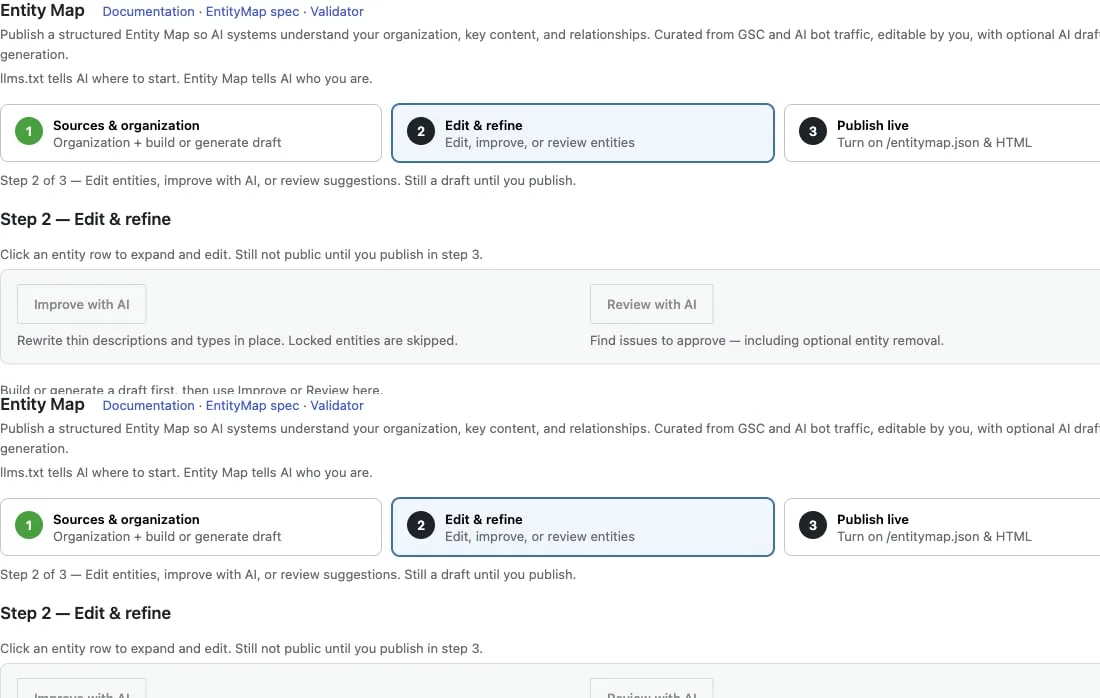
- Open Step 2, Edit & refine (or use Continue to next step → from Step 1).
- Optionally use Improve with AI or Review with AI when Connectors or Credits are configured.
- Click an entity row to expand it. Check name, description, relations, and source chunks.
- Lock any entity AI must not overwrite on future rebuilds.
- Under Suggested additions, review high bot-traffic pages missing from the map. Use Add as entity or Pin as needed.
- Click Add custom entity for anything not picked up automatically.
- When you are satisfied, go to Step 3, Publish live.
Step 3, Publish live
Goal: Make /entitymap.json and /entitymap.html public.
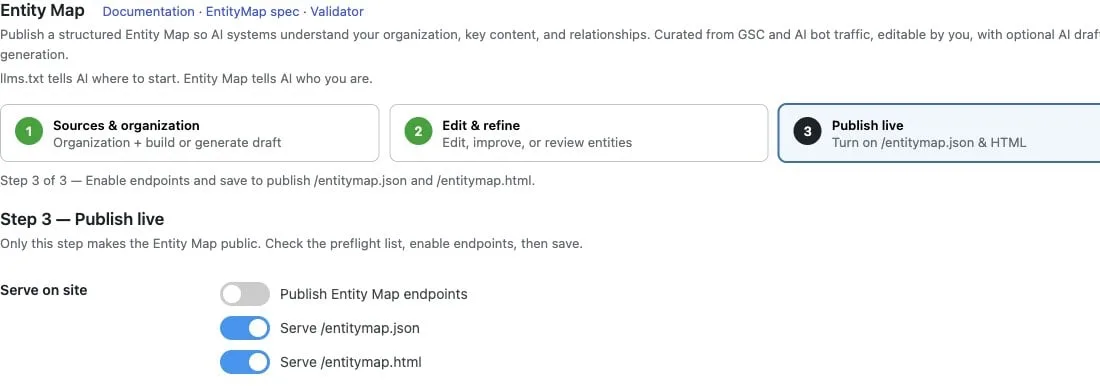
- Open Step 3, Publish live.
- Check the Preflight checklist (errors block publishing). Click Refresh preflight if needed.
- Under Serve on site, turn on:
- Publish Entity Map endpoints
- Serve /entitymap.json and/or Serve /entitymap.html
- Under Discovery (optional), enable any signals you want:
- Link from llms.txt (Structured knowledge section)
- Add alternate / describedby links in HTML head (front page)
- Send HTTP Link headers (front page)
- Add EntityMap: line to robots.txt
- Adjust Cache TTL if needed (seconds to cache generated files).
- Click Refresh preview and review the JSON preview.
- Click Save & publish.
After publishing
When the map is live, the green Entity Map is live panel appears with quick actions:
- Click View /entitymap.json or View /entitymap.html to open the public URLs.
- Copy the JSON URL or preview if you need to share it.
- Validate at entitymap.org/validate:
- Production: use Fetch from URL with your public
/entitymap.jsonURL - Local / staging: use Paste JSON with the preview from Step 3
- Production: use Fetch from URL with your public
Sitewide AI Readiness and SEO analysis update Entity Map status on the next run after publishing.
Troubleshooting
- Physical file in web root: If
entitymap.jsonorentitymap.htmlexists in your WordPress root, many hosts serve that file instead of the plugin. Remove or rename it to use dynamic serving. - Free install: The Entity Map tab shows an upgrade teaser only; the full wizard requires Pro.
- Generate with AI disabled: Configure WordPress Connectors or SEO Booster Credits under Settings → AI / LLM, or use Build from site data without AI.
Free vs Pro
| Capability | Free | Pro |
|---|---|---|
Curated /llms.txt | Yes | Yes |
/entitymap.json + /entitymap.html | - | Yes |
| Sources / edit / publish wizard | - | Yes |
| Optional AI draft (Connectors / Credits) | - | Yes |
| Link from llms.txt (Structured knowledge) | - | When published |
Free installs see an upgrade teaser on the Entity Map tab and a soft upsell on the llms.txt tab.
Endpoints
| URL | Audience |
|---|---|
/entitymap.json | Machines / AI systems |
/entitymap.html | Humans reviewing the map |
Endpoints are served dynamically (same idea as virtual /llms.txt). A physical entitymap.json or entitymap.html in the WordPress root may shadow the virtual routes until you remove or rename it.
Curation
- Sync with llms.txt (recommended): reuse post types, directory rules, and pinned pages from the llms.txt tab.
- Own rules: pick content types and directory include/exclude when sync is off.
- Ranking prefers high-value GSC pages and AI bot traffic when that data exists.
- Optional FAQ chunks from Yoast, Rank Math, All in One SEO, SEOPress, or The SEO Framework FAQ blocks.
- Cap max content entities (keep the map focused).
AI draft
With WordPress Connectors or SEO Booster Credits configured under Settings → AI / LLM, you can generate a full draft and regenerate individual entities. Lock entities you do not want AI to overwrite. Building and editing work without AI.
AI Readiness
Sitewide AI Readiness and SEO analysis can surface Entity Map status (served, disabled, physical file shadow, or Pro opportunity when the feature is unused on free/Pro installs). Publishing a live map clears related soft improvements on the next analysis.
Discovery
| Signal | When |
|---|---|
| llms.txt Structured knowledge section | When Entity Map is published and linked from llms.txt |
| Front-page HTML head links | Optional |
| HTTP Link headers | Optional |
robots.txt EntityMap: line | Optional (plugin toggle) |
Validate your map
After publishing, open entitymap.org/validate and paste your JSON preview or fetch from your public /entitymap.json URL (Fetch from URL requires a publicly reachable site with CORS).
On local/dev sites, use the Paste JSON tab with the preview from Step 3 in the Tools UI.
Related
- llms.txt generator: curated entry index for AI crawlers
- Pro Tools tabs: other Pro batch workflows
- AI Readiness in the editor
- AI Bots overview: crawl data that feeds Entity Map curation
- Entity Map vs llms.txt, schema.org, and sitemap.xml (editorial comparison)
- AI search readiness for WordPress
Browse topics