
AI Bots overview
Track AI crawler visits on your WordPress site, local storage, Content / By bot / Noise tabs, and optional Pro blocking.
See the AI Traffic feature page for the product overview. When AI visits outpace GSC impressions, read Bridge the Gap for a practical workflow.
Admin path: SEO Booster → AI Bots
Prerequisites
- AI bot tracking enabled (default on) under Settings → AI / LLM
- No Google Search Console connection required; GSC badges appear when data exists
Bots vs Referrals
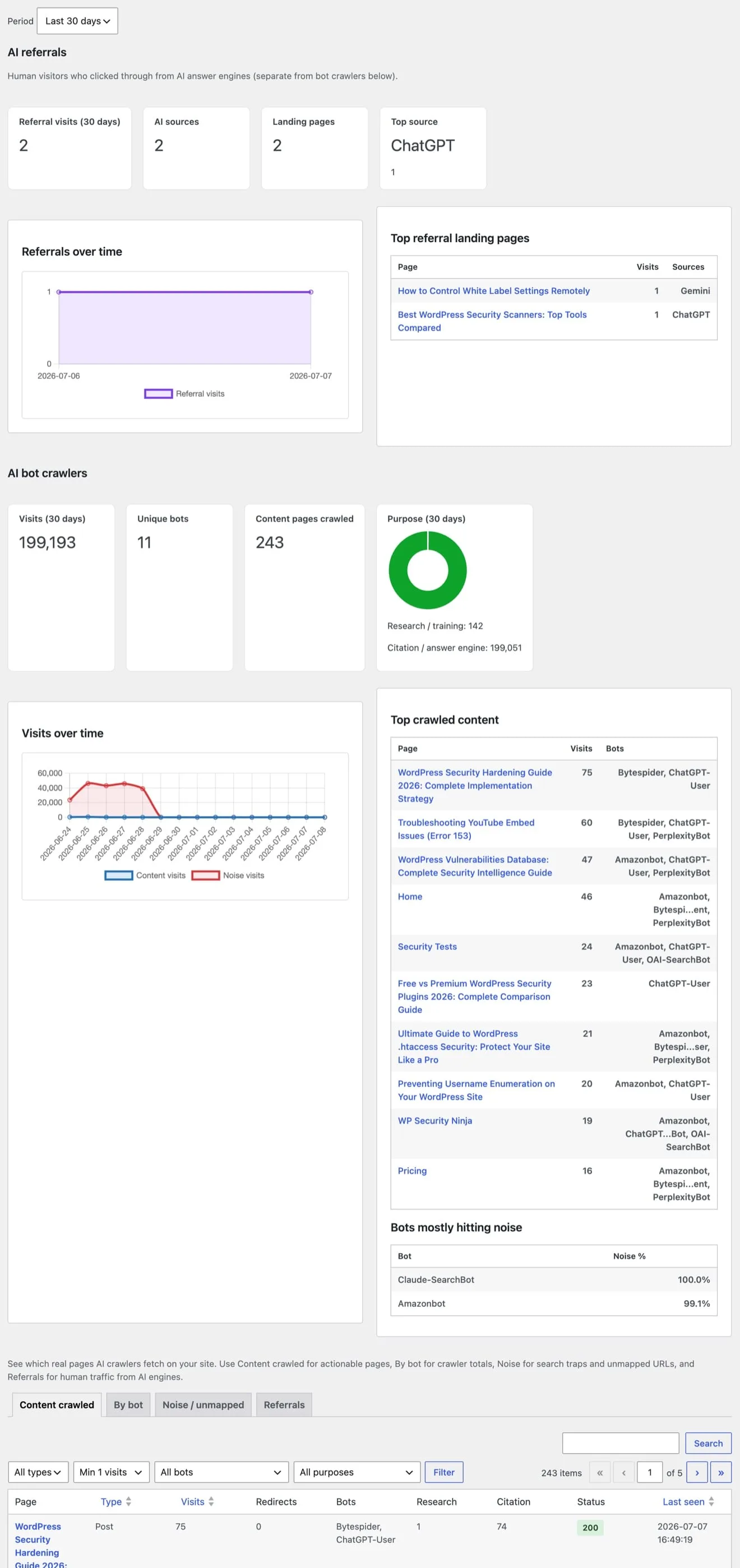
SEO Booster tracks two different AI traffic signals:
| Signal | What it is | Where to view |
|---|---|---|
| Bots | Automated crawlers (GPTBot, ClaudeBot, PerplexityBot, etc.) | AI Bots → Content / By bot / Noise tabs |
| Referrals | Human visitors who clicked through from ChatGPT, Perplexity, Claude, Gemini, Copilot, and similar answer engines | AI Bots → Referrals tab |
Bot hits use user-agent detection and land in sb2_ai_bot_hits. Referrals use the HTTP Referer header and land in sb2_ai_referrals when AI referral tracking is on (default) under Settings → AI/LLM.
A page can show heavy bot crawls but few human referrals, or the opposite, treat them as complementary metrics, not duplicates.
What gets recorded
On each frontend request, SEO Booster matches the user agent against known AI crawlers. Hits are queued on template_redirect and saved on shutdown with the final HTTP status. 404 responses are not stored as content hits.
Summary cards
For the selected period (7, 30, or 90 days):
- Total visits
- Unique bots
- Unique content pages crawled
- Purpose breakdown, research/training vs citation/answer engine (chart + counts)
Configure tracking and retention under Settings → AI / LLM (see the settings page doc).
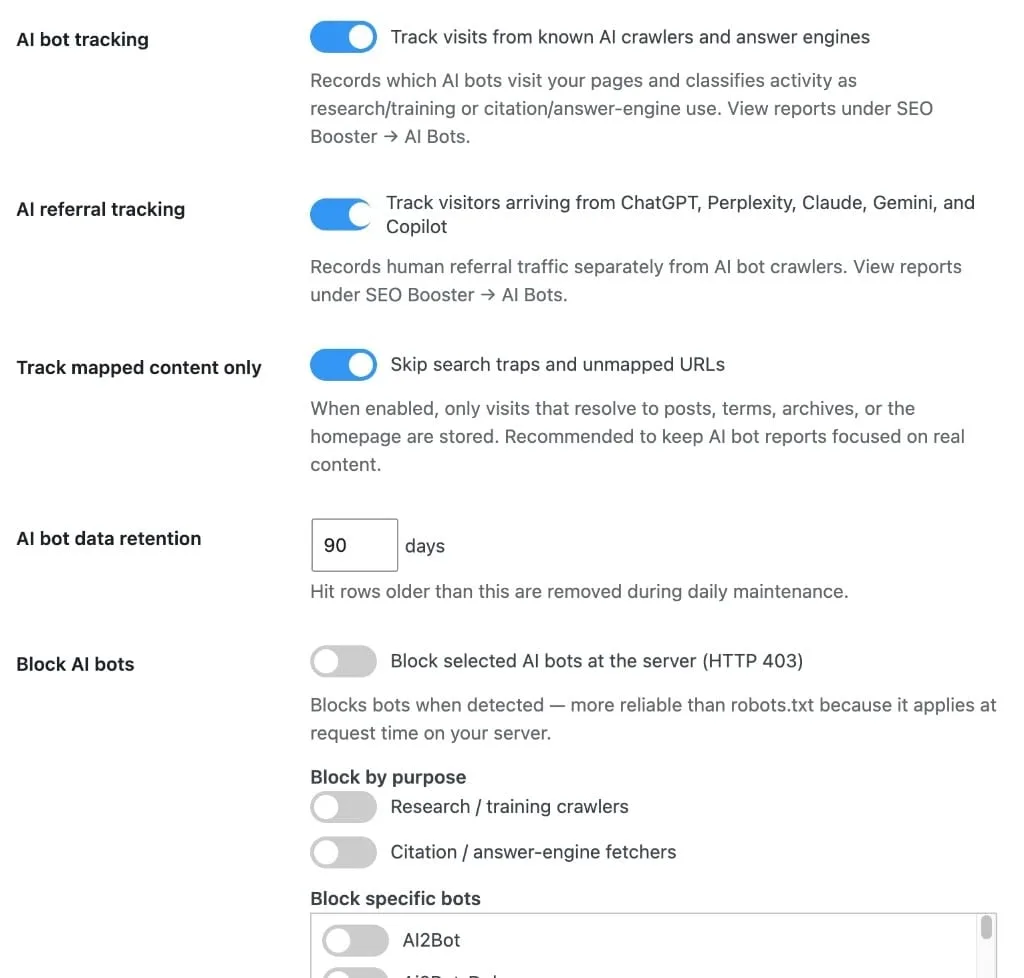
Settings reference
| Setting | Default | Effect |
|---|---|---|
| AI referral tracking | On | Records human visits from AI answer engines separately from crawlers |
| AI bot tracking | On | Stop all crawler recording when off |
| Track mapped content only | On | Unmapped URLs bucket to Noise instead of Content |
| Retention days | 90 | How long hit rows are kept (7–365). 30–60 days is usually enough for most sites; check table sizes on Settings → Stats |
| Pro blocking | Off | Return HTTP 403 for selected bots or purposes (configure in Settings; block list shows visit counts) |
Related
High bot-traffic pages also feed Entity Map (Pro) curation and crawl-gap suggestions when you build a structured map for AI systems.
Next steps
- Tabs and filters: including the Referrals tab
- Pro blocking
- Entity Map (Pro)
Browse topics