
GSC Overview
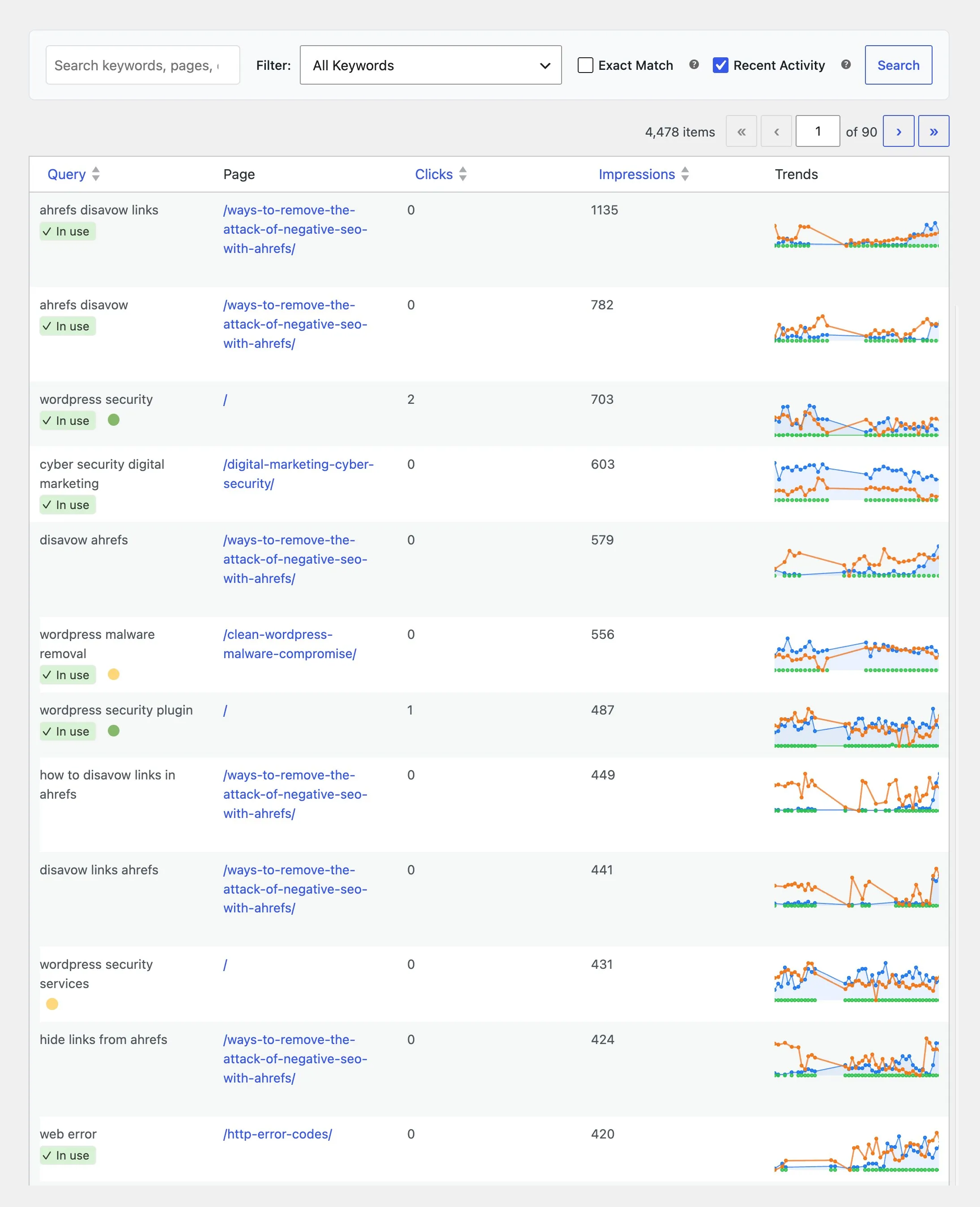
Searchable sitewide GSC table, Filter dropdown, Exact Match, row signals, and sortable columns.
Full user guide: GSC Overview feature page
Admin path: SEO Booster → GSC Overview
On the live site, use the WordPress admin bar: SEO Booster → Show Details for page-level debug context, or Highlight GSC Keywords to highlight imported queries in content (same toggles as Dashboard overview).
Per-page keyword tables live on the edit screen; sitewide KPIs and top keywords appear on the dashboard. For a map of all keyword reports, start at the Keyword Insights hub.
Filter dropdown
| Option | Behavior |
|---|---|
| All Keywords | No dropdown filter |
| New Keywords (Past 30 Days) | latest_date within 30 days |
| Keywords Not Seen (Over 30 Days) | latest_date older than 30 days |
| Keywords Found in Content | is_used_in_content = 1 |
| Keywords Not Used in Content | not used in body (content gap) |
| High Average Position (1–10) | avg position 1–10 in active date range |
| Medium Average Position (11–50) | avg position 11–50 |
| Low Average Position (50+) | avg position above 50 |
Checkboxes
- Exact Match, exact query match vs partial search on query, page URL, dates.
There is no Recent Activity checkbox. Use the New Keywords and Keywords Not Seen Filter options for 30-day recency. Table clicks, impressions, CTR, and position totals stay all-time. Trend charts use a recent window (up to 90 days; full history cap 180 days).
Search
Enter keyword, URL path, or date fragment; click Search. Combines with dropdown and checkboxes.
Row signals
- In use badge, keyword in page content
- X days ago, no visit 14+ days
- Gray row, no traffic 30+ days
- Green / yellow dots, traffic leader vs cannibalization (hover for clicks)
- Trends: hover to load sparkline
Columns
Query · Page (Edit/View) · Clicks · Impressions · Trends (default sort: impressions DESC)
Sortable: query, clicks, impressions, CTR, position, latest date.
Browse topics