
SEO Possibilities
SEO Booster → SEO Possibilities turns 40+ on-page and GSC checks into a URL list you can expand and edit. You get the full list on Free. Pro adds Do next, By type, traffic priority, Mark as done, and Ignore this type.
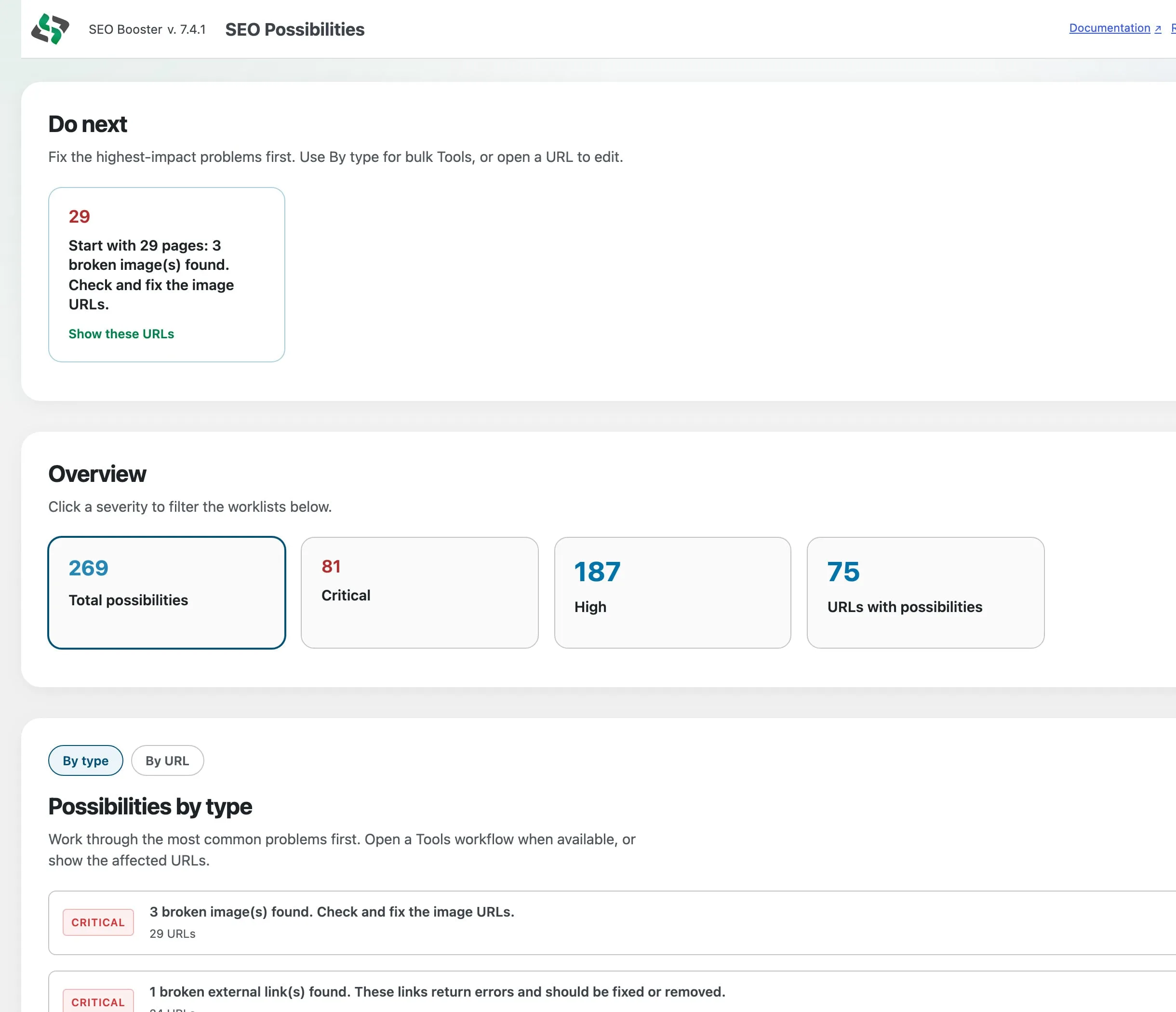
Part of SEO Booster.
Works with your SEO plugin, and makes it smarter.
Keep the SEO plugin you already use. We add Search Console context, a clear fix list, automatic links, and tools that write into the meta you already have. Works with Yoast, Rank Math, AIOSEO, SEOPress, and TSF.
- Yoast SEO
- Rank Math SEO
- All in One SEO (v4+)
- SEOPress
- The SEO Framework (v5+)
See every finding. Clear the queue in Pro.
What is it?
Stored analysis findings across your site, with severity filters, expand-to-list, and sitewide checks. Pro turns that into a work queue you can clear.
Who is it for?
Editors who need the full list for free, and SEO leads who want Do next, Ignore this type, and Mark as done when the site grows.
What does it solve?
Scattered on-page and search-performance issues without spreadsheets. Free finds them. Pro prioritizes and clears them.
Why SEO Possibilities saves time
Full list on Free
Severity overview, full URL pagination, expand findings, Open in editor, and free Tools links. No artificial caps on how many URLs you can see.
Pro work queue
Do next (Critical and High first), By type worklists with Ignore this type, Top URLs by severity and Search Console traffic, plus Mark as done, Ignore, and Undo.
Opportunities from Search Console
When Search Console is connected, checks include CTR gaps (with a sensible impression floor), cannibalization, and other GSC-driven findings in the same list.
Find issues free. Clear the queue in Pro.
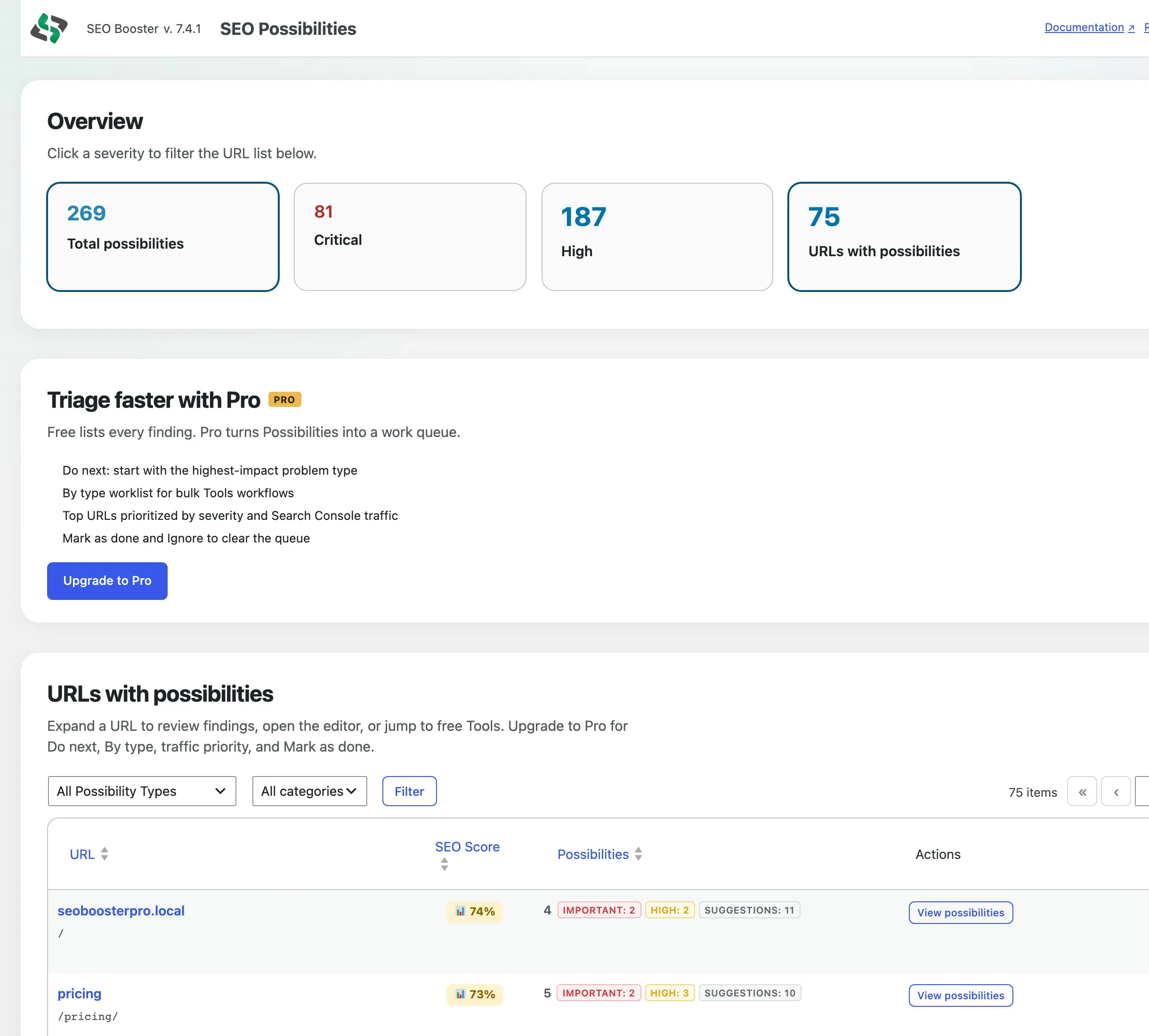
Free URL list
Open SEO Booster → SEO Possibilities for Critical and High counts, then work the full URL table. Free includes a short note on what Pro adds for clearing the queue.
- Overview cards filter the URL list by severity
- Expand a URL for the findings list, then Edit for full detail
- Open in editor and free Tools (Bulk meta, Image metadata)
Pro Do next and By type
Start with the highest-impact problem type (Critical and High first), then work By type for bulk Tools, Ignore this type, or open affected URLs.
- Do next card points at the best first win
- By type lists common problems with Tools deep links
- Ignore this type suppresses that finding across URLs on re-analyze
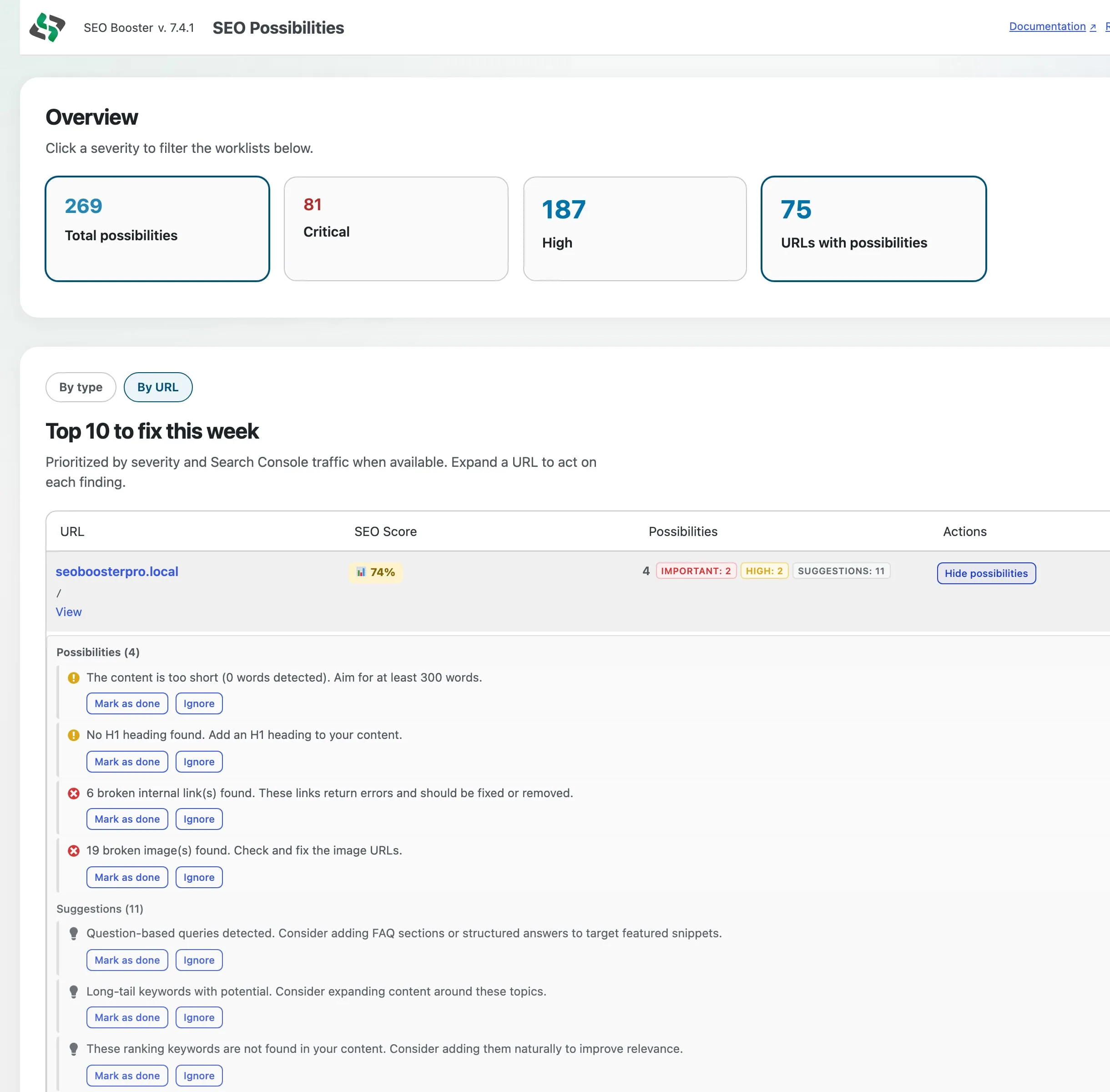
Expand for the list, Edit for detail
Expand a URL to scan open findings. Use Edit on the row to open the editor for full context (for example broken link details) and Pro status actions where available.
- Expanded rows list findings without crowding action buttons
- Open in editor and Tools links stay on the URL row
- Done and Ignore stay cleared after re-analysis (Pro)
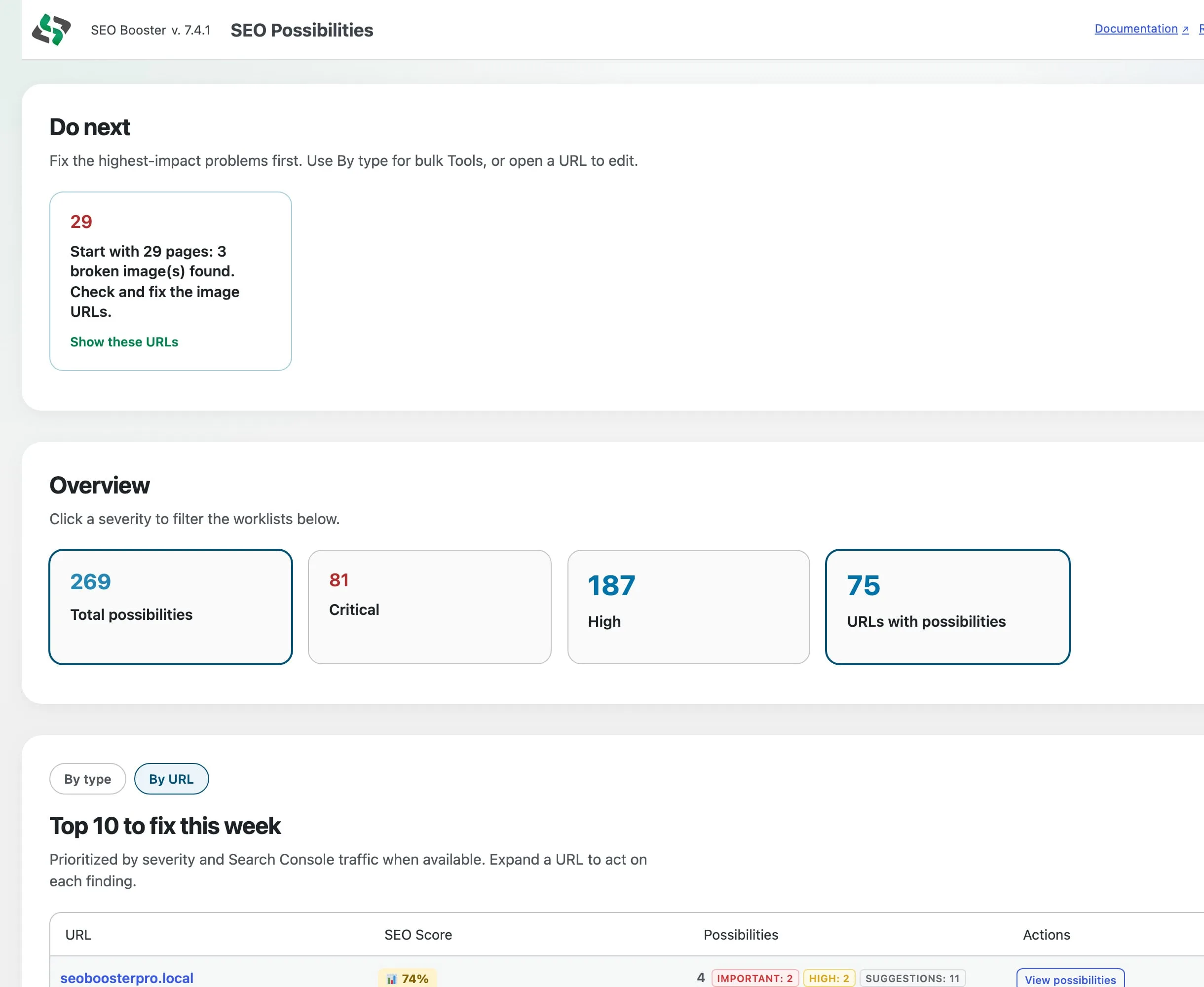
Top URLs by traffic
By URL shows a Top 10 prioritized by severity and Search Console traffic when data exists, with the full list one click away.
- Top 10 to fix this week (Pro)
- Severity plus traffic when GSC is connected
- Show all URLs for the complete paginated list
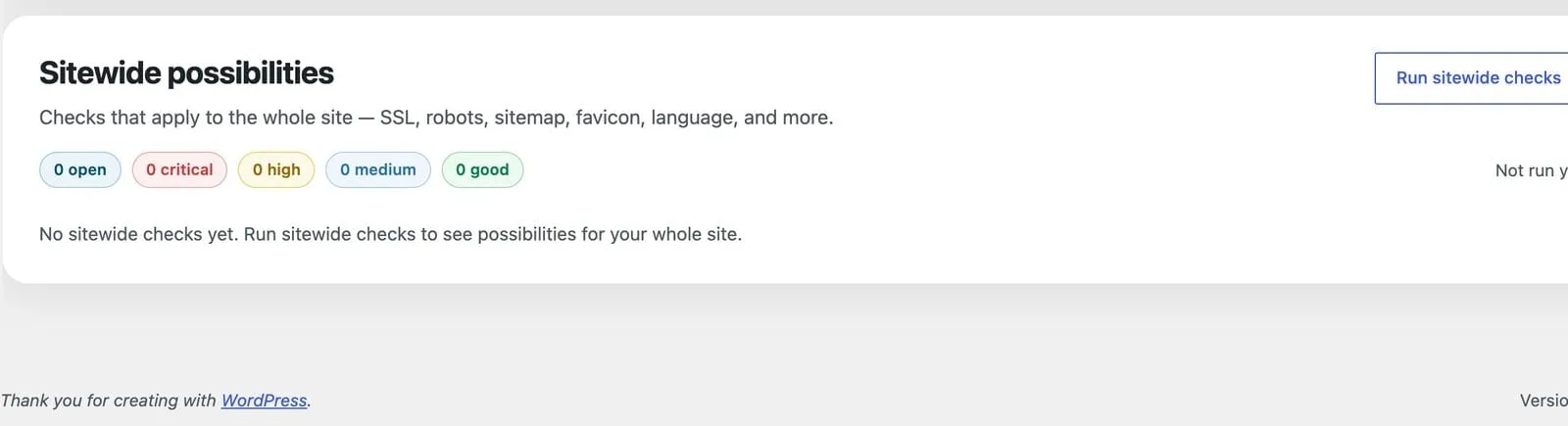
Sitewide analysis
Checks that apply to the whole site (SSL, robots, sitemap, favicon, language, viewport, Twitter Cards, contact info, and more) live on the same page for Free and Pro.
- Run sitewide checks on demand
- Open / Critical / High / Medium / Good counts
- Site chrome is not duplicated once per URL
Per-URL checks
Every analyzed URL is scored against grouped SEO evaluations. Most checks run on every analysis; full-page review and GSC-connected checks add deeper coverage. Site chrome (favicon, language, Twitter Cards, and similar) lives under Sitewide, not once per URL.
Meta & indexing
Title, description, focus keyword, and head-tag signals.
- Title tagEvery analysis
Presence and focus-keyword usage in the SEO title.
- Meta descriptionEvery analysis
Presence and focus-keyword usage in the description.
- Focus keywordEvery analysis
Whether a focus keyword is configured for targeting.
- IndexabilityEvery analysis
Detects noindex settings that block search indexing.
- Canonical URLFull page
Whether a canonical link tag is set on the rendered page.
- Robots metaFull page
Indexing directives in the robots meta tag.
- Structured dataFull page
JSON-LD, microdata, or RDFa markup for rich results.
- Open Graph tagsFull page
Essential og:title, og:description, og:image, og:url, og:type.
- Twitter CardsFull page
twitter:card, title, description, and image tags.
- Meta viewportFull page
Mobile-friendly viewport declaration.
- FaviconFull page
Site favicon linked from the page head.
- Language declarationFull page
lang attribute on the html element.
- Author attributionFull page
rel="author" links for E-E-A-T signals.
Content & structure
Body copy, headings, readability, and on-page structure.
- Content lengthEvery analysis
Word count, flags thin content under 300 words or very long pages over 3000.
- Post excerptEvery analysis
Whether an excerpt is set for summaries in search and AI answers.
- Featured imageEvery analysis
Whether a featured image is set for richer previews.
- FAQ-style headingsEvery analysis
H2/H3 headings that end with a question mark.
- H1 structureEvery analysis
Single H1 per page, warns on missing or multiple H1 tags.
- H2 headingsEvery analysis
Subheadings for long-form content structure.
- Keyword densityEvery analysis
Focus keyword frequency, flags under 0.5% or over 3%.
- Thin content riskEvery analysis
Very short body copy that may look like duplicate or low-value content.
- Contact informationEvery analysis
Contact details on the page for trustworthiness (E-E-A-T).
- Sentence readabilityFull page
Average sentence length and long-sentence suggestions.
- Paragraph lengthFull page
Flags paragraphs that are hard to scan on long pages.
- Form accessibilityFull page
Inputs missing labels or aria-label attributes.
Images
Alt text, broken URLs, and image performance signals.
- Alt textEvery analysis
Missing, empty, or meaningful alt attributes on images.
- Broken imagesFull page
Image URLs that return errors on the rendered page.
- External imagesFull page
Images hosted off-site: suggests local hosting for reliability.
- Image dimensionsFull page
Width and height attributes to reduce layout shift.
Links
Internal and external linking health.
- Internal linksEvery analysis
Whether the page links to other site URLs.
- External linksEvery analysis
Whether outbound links are present.
- Broken internal linksFull page
Internal URLs returning HTTP errors.
- Redirected internal linksFull page
Internal links that 301/302 to another URL.
- Broken external linksFull page
Outbound URLs returning HTTP errors.
- Redirected external linksFull page
Outbound links that redirect before reaching the target.
- URL shortenersFull page
Links through bit.ly, t.co, and similar shortener domains.
Duplicate content
Cross-site uniqueness of meta fields.
- Duplicate SEO titleEvery analysis
Same title used on another URL in your site.
- Duplicate meta descriptionEvery analysis
Same description used on another URL in your site.
GSC opportunities
Search Console indexing and keyword-driven findings.
- URL inspectionGSC connected
Indexing state and rich-result / structured-data issues from GSC.
- Low CTR at good positionsGSC connected
Keywords in top 10 with click-through below expectations.
- High impressions, low clicksGSC connected
High-visibility keywords with weak engagement.
- Keywords not in contentGSC connected
Ranking queries missing from the page body.
- Keyword cannibalizationGSC connected
Multiple pages competing for the same query.
- Long-tail opportunitiesGSC connected
Lower-competition queries the page could target.
- Content freshnessGSC connected
Declining traffic on keywords the page already ranks for.
- Question-based queriesGSC connected
What/how/why-style searches you could answer on the page.
Sitewide checks (SSL, robots.txt, sitemap, llms.txt, and more) run separately in the Sitewide analysis section above the URL table: not per row.
Full technical reference → Complete List of SEO Tests
How to use SEO Possibilities
Scan the severity filters
Start with Critical and High. Free filters the URL list. Pro filters Do next and By type too.
Expand rows, then Edit
Open a URL to review the findings list, then use Edit or free Tools for fixes.
Clear the queue in Pro
Use Do next and By type, Ignore this type for soft repeats, and Mark as done or Ignore as you clear findings.
Run sitewide checks
Review sitewide results for robots.txt, sitemap, favicon, Twitter Cards, and other global issues.
Cross-check GSC Overview
For keyword-specific questions, pair with GSC Overview filters.
Frequently Asked Questions
Where is SEO Possibilities in WordPress?
SEO Booster → SEO Possibilities (`admin.php?page=sb2_seo_issues`).
What does Free include?
Full URL list (normal pagination), expand findings, Open in editor, free Tools deep links, severity overview filters, sitewide checks, and a Pro strip with upgrade benefits. No Do next, By type, traffic Top 10, Mark as done, or Ignore this type.
What does Pro add?
Do next, By type worklist with Ignore this type, Top URLs by severity and Search Console traffic, Mark as done / Ignore / Undo, and Pro Tools deep links where relevant.
How do issues get into the list?
Per-URL analysis from the SEO Booster metabox, scheduled scans of GSC-discovered URLs, bulk SEO analysis from the post list, and sitewide analysis for global checks.
How many checks run per URL?
About 40 grouped evaluations across meta, content, images, links, duplicate meta, and GSC opportunities. Full-page analysis unlocks technical head-tag, link-status, and accessibility checks. Favicon, language, viewport, and Twitter Cards are sitewide, not per URL.
Is SEO Possibilities different from the SEO metabox?
The metabox shows analysis for one page while editing. SEO Possibilities is the sitewide list across all analyzed URLs. Pro adds the work queue on top.
Does it require Google Search Console?
On-page checks work without GSC. Opportunities from Search Console and traffic priority appear when Search Console is connected and data exists.
Boost your rankings with smarter SEO
Connect Google Search Console, fix pages from real search data, automate internal links, and use AI when the repetitive work piles up.
Get Started