
Page overview (admin bar)
Open a floating SEO snapshot from the WordPress admin bar while browsing a post, page, or term, plus Highlight GSC Keywords and Highlight Automatic Links.
Feature page · Keywords tab (GSC) · GSC Overview
Where: Frontend (logged in) → WordPress admin bar → SEO Booster → Page overview
Page overview is a read-only WinBox panel for the URL you are viewing. It does not replace the edit-screen metabox or SEO Possibilities.
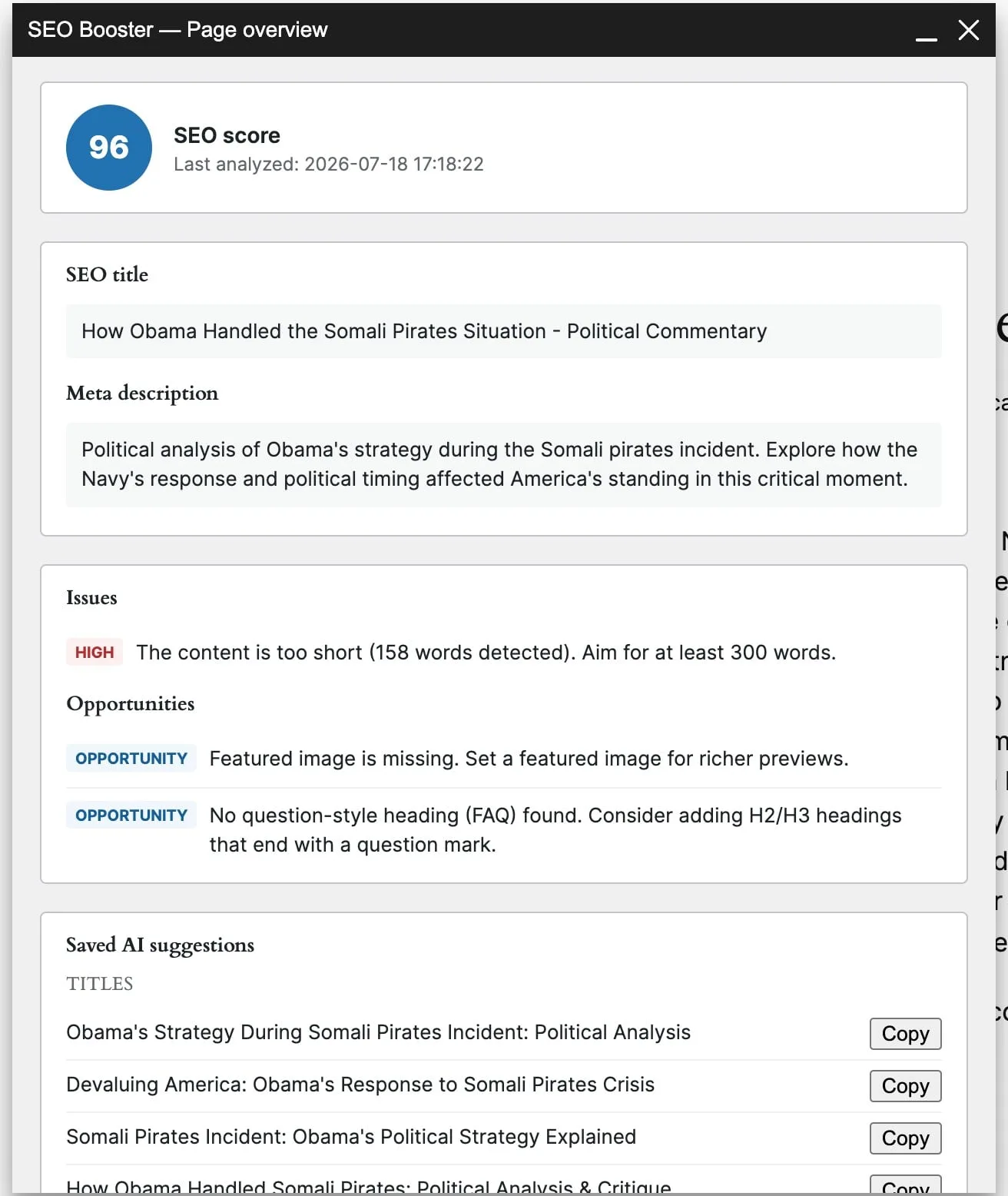
Open the snapshot
- Log in as a role that can see the admin bar.
- Open a public post, page, or term on the frontend.
- Click SEO Booster → Page overview.
The panel loads a snapshot: SEO score, last analyzed time, SEO title and meta, issues, opportunities, saved AI title/meta suggestions when present, and a compact Top keywords table when Search Console data exists for that URL.
Archives, search, and other non-singular views may show that Page overview is unavailable.
Highlight GSC keywords
Admin bar → SEO Booster → Highlight GSC Keywords toggles yellow highlights on imported Search Console queries in the rendered page body (seobooster_showgsc). Use it while you browse; it is separate from the Page overview panel.
For the full keyword table, trends, and Pro Create links, open the Keywords tab on the edit screen.
Highlight automatic links
Admin bar → SEO Booster → Highlight Automatic Links marks phrases SEO Booster injected (seobooster_showlinks). It only fires on pages where Automatic Linking is enabled for that view.
Related
Browse topics