
What's new in SEO Booster 7.4.9: quieter Possibilities, clearer triage
Sitewide chrome findings, Ignore this type, softer opportunities, and accurate GSC low-CTR checks so the Possibilities queue stays actionable.
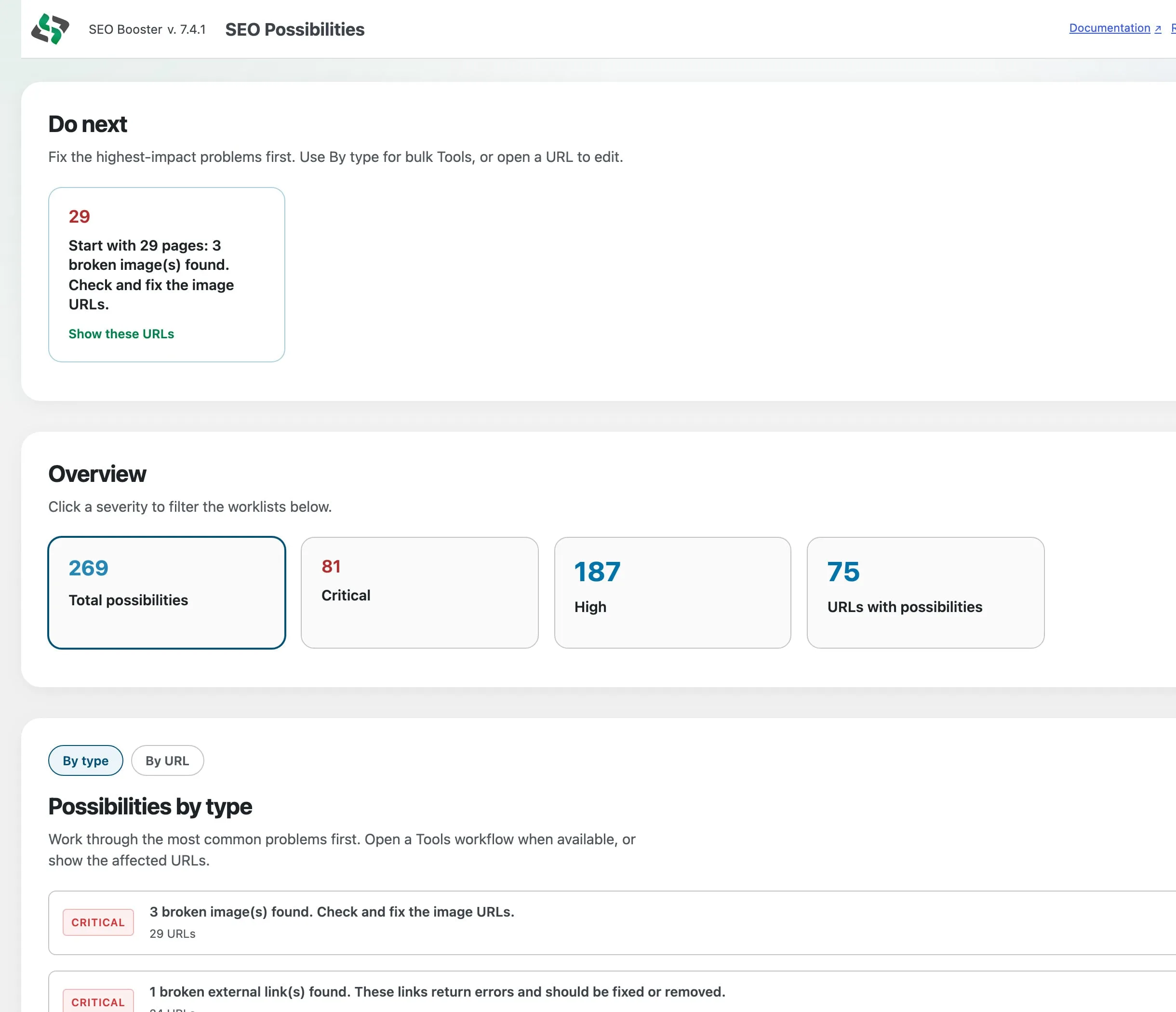
SEO Booster 7.4.9 tightens SEO Possibilities so the queue reflects how the product actually behaves: less noise, clearer sitewide vs per-URL findings, and Pro triage that can ignore a whole issue type.
Sitewide chrome, not once per URL
Favicon, language, viewport, Twitter Cards, and homepage contact patterns now live under Sitewide possibilities. Legacy per-URL rows for those keys are cleaned up when analysis runs. Re-run sitewide checks after you update.
Quieter opportunities
External images, multiple H1, and URL shorteners are softer opportunities. Keyword density scoring is removed. Social share links no longer trigger redirected-external warnings. Benign same-site redirects (scheme, www, slash) are ignored.
GSC low CTR that matches real CTR
“Low CTR in top 10” uses click-through as a fraction with an adaptive impression floor, so small sites still get signal without flagging almost every keyword.
Pro: Ignore this type
From By type worklists, Ignore this type suppresses that finding across URLs and keeps it suppressed on re-analyze. Expanded Possibilities rows list findings; use Edit on the URL row for full detail.
Do next prefers Critical and High
Dashboard and Possibilities Do next emphasize actionable severities so opportunity floods do not bury urgent work.
What to do next
- Update to 7.4.9
- Open SEO Possibilities and run sitewide checks once
- On Pro, use Ignore this type for soft repeats you do not want back
- Read the updated Possibilities docs and complete test list
Earlier what’s-new for the Setup Wizard and Free vs Pro triage split: Setup Wizard + Possibilities triage.
Frequently asked questions
Do I need to re-run anything after updating?
Run Sitewide checks once on SEO Possibilities so favicon, language, Twitter Cards, and similar items refresh under Sitewide instead of old per-URL rows.
Where is Ignore this type?
Pro only, on By type / type worklists. Ignored types stay suppressed when you re-analyze.
Where are the full docs?
See the SEO Possibilities overview and the complete list of SEO tests.
On this page