
Automatic Linking
Boost your SEO with effortless internal linking. Define keyword-to-URL rules, enable autolink on the pages you choose, and let matching phrases link themselves: including WooCommerce and major page builders.
Four rules active, matching phrases link on enabled pages.
How we improved crawl paths
Solid WordPress SEO depends on structure, not stuffing keywords. We audited pages with open issues in SEO Possibilities first.
Then we strengthened internal linking with keyword rules: no hand-editing hundreds of posts. Autolink only runs where we enabled it per page.
We refreshed meta descriptions from GSC data and fixed gaps for Search Console queries we were already ranking for.
Define rules in admin: links appear on the frontend on the next page view
Part of the seo booster WordPress plugin.
- Yoast SEO
- Rank Math SEO
- All in One SEO (v4+)
- SEOPress
- The SEO Framework (v5+)
Internal links
Internal links on autopilot
What is it?
Keyword-to-URL rules that add internal links on enabled pages at render time, including WooCommerce and major page builders.
Who is it for?
Site owners who want better crawl paths and link equity without manually linking every matching phrase.
What does it solve?
Missed internal links and repetitive cross-linking. You control which pages participate; the plugin handles the rest.
How automatic linking saves you time
Improves user experience
Relevant internal links help visitors find related content faster on enabled pages.
Boosts SEO performance
Internal links help search engines understand site structure and which pages matter for each topic.
Supports large-scale sites
For eCommerce stores, blogs, and enterprise sites, keyword rules scale as your content library grows.
Features of automatic linking
Custom link management (free)
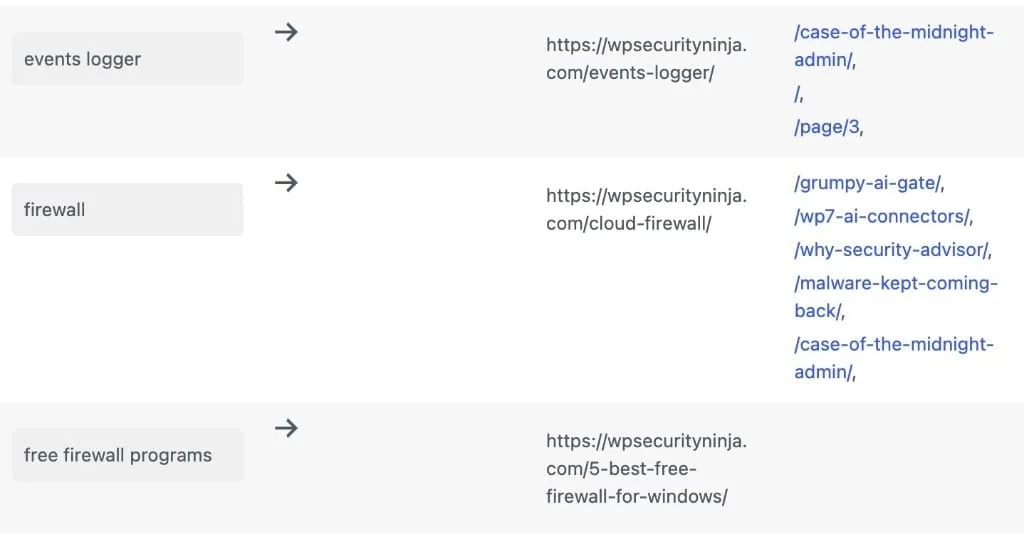
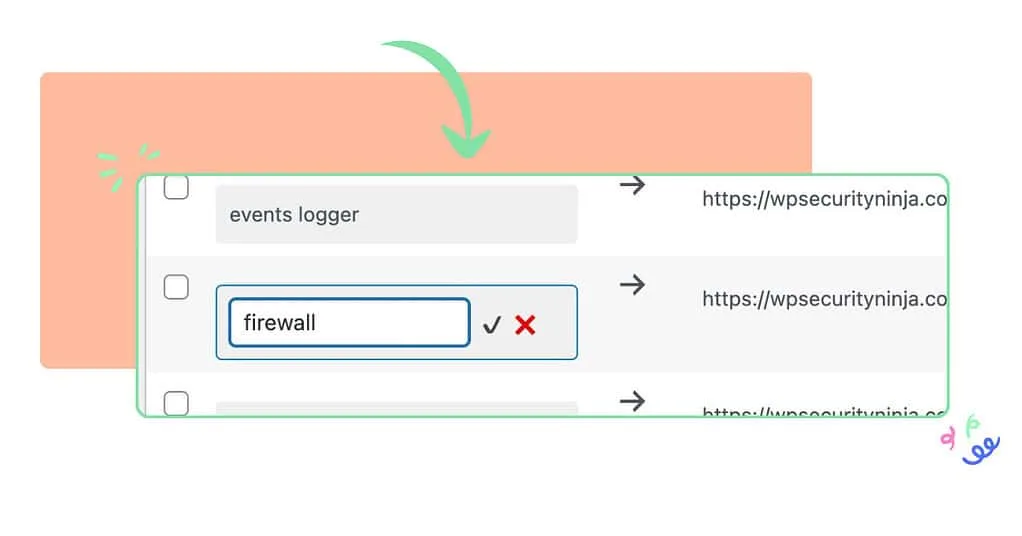
Create, edit, and manage keyword-to-URL rules in SEO Booster → Automatic Links. Inline editing updates keywords and targets without leaving the list.
- Add keywords via the form at the top (keyword + target URL)
- Double-click keyword or URL cells to edit inline
- Bulk delete selected rules
- Last Used On column shows recent URLs where each keyword matched
Smart keyword recognition (free)
On pages where autolink is enabled, matching phrases in body content become links to your chosen URLs. Links are injected at output, not saved into post_content in the database.
- Skips headings, lists, existing links, code blocks, and other excluded elements
- Respects max links per post and first-occurrence vs repeat settings in Settings
- Does not run on REST, search, feeds, sitemaps, embeds, 404s, or previews
Four rules active, matching phrases link on enabled pages.
How we improved crawl paths
Solid WordPress SEO depends on structure, not stuffing keywords. We audited pages with open issues in SEO Possibilities first.
Then we strengthened internal linking with keyword rules: no hand-editing hundreds of posts. Autolink only runs where we enabled it per page.
We refreshed meta descriptions from GSC data and fixed gaps for Search Console queries we were already ranking for.
Define rules in admin: links appear on the frontend on the next page view
Per-post enable (free)
Autolink runs only on singular posts and pages where you enable it in the SEO Booster metabox Page settings → Automatic Linking (defaults on for new content). Meta `_sbp-autolink` must be `yes`.
- Skips REST/JSON, search, feeds, sitemaps, embeds, 404s, and previews automatically
- Campaign-specific keyword-to-URL rules in Automatic Links admin
- Internal and external URLs supported in rules
- Changes apply on the next page view for enabled content
Pro conveniences
Pro adds an autolink column and Quick Edit on the posts list, bulk enable/disable autolink for many posts at once, and autolink status plus one-click rule creation from the GSC keyword popup.
How to use automatic linking
-
Add your keywords and URLs
Use Automatic Links to define keyword-to-URL rules. Enable autolink on the posts and pages where matching phrases should become links.
-
Monitor performance
Review which pages use each keyword and last-seen URLs in the Automatic Links list. Pair rules with GSC data to prioritize high-impact terms.
-
Scale with Pro
Use the posts-list column and bulk actions (Pro) to toggle autolink across many pages, or create rules from the GSC keyword popup when a term is not yet linked.
Trusted by WordPress site owners
“As an e-commerce business, SEO Booster Pro has saved us hours of work while improving our rankings. The automated internal linking and 404 error monitoring are invaluable. Our products now rank on the first page of search results!”
Sophia Kim
Head of Growth, UrbanStyle Co.
Frequently Asked Questions
What is Automatic Linking?
Automatic Linking associates keywords with URLs and injects links into body content on pages where autolink is enabled: so you do not hand-link every occurrence manually.
How does Automatic Linking improve SEO?
Relevant internal links strengthen site structure, distribute authority, and help users discover related content.
Can I customize the links generated by Automatic Linking?
Yes. Manage keyword-to-URL rules in the Automatic Links admin and edit keywords inline. Pro adds bulk enable/disable on the post list and autolink controls from the GSC keyword popup.
Does Automatic Linking work with external links?
Yes. Rules can point to external URLs when you configure them that way.
What is the difference between free autolink and Pro autolink features?
The linking engine, rules admin, inline edit, and per-post Page settings toggle are free. Pro adds the posts-list column, bulk enable/disable, autolink status in the Keywords tab and GSC keyword popup, and the Autolink opportunities Tool for batch rule creation.
Is Automatic Linking suitable for large websites?
Yes. Keyword rules scale for content-heavy sites. Pro bulk controls make it faster to enable or disable autolink across many posts at once.
Boost your rankings with smarter SEO
Connect Google Search Console, fix pages from real search data, automate internal links, and optionally speed up repetitive tasks with AI.
Get Started