
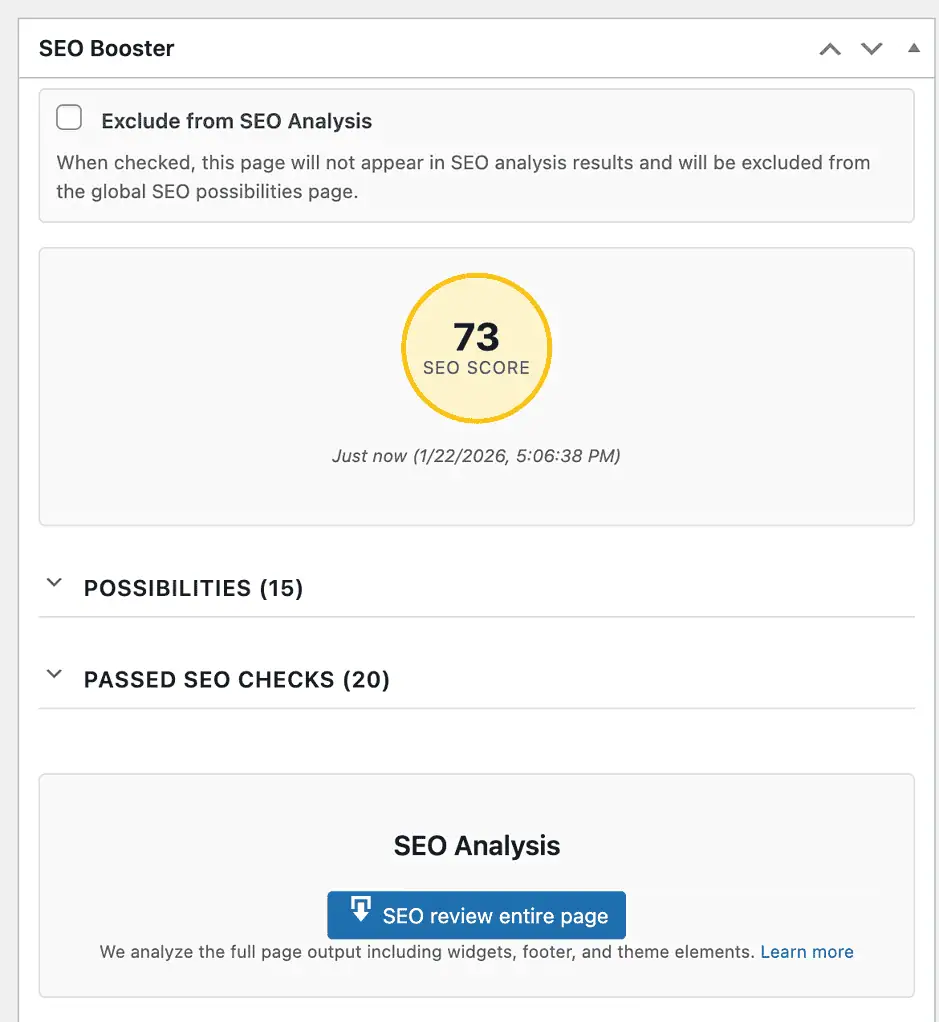
When editing a page with SEO Booster installed you can scroll down to the metabox named “SEO Booster”
The SEO Analysis feature provides comprehensive SEO testing for your content, analyzing everything from basic SEO elements to advanced technical SEO factors and Google Search Console insights.
Contents
SEO Score
At the top of the metabox, you’ll see a circular score indicator showing your overall SEO score as a percentage. The score is color-coded:
- Green (80-100%) – Excellent SEO optimization
- Yellow (60-79%) – Good, with room for improvement
- Red (0-59%) – Needs significant SEO work
The score is calculated based on all the SEO tests performed and gives you a quick overview of how well-optimized your page is.
Analysis Results
Below the score, you’ll see the analysis results organized into three categories:
Possibilities (Issues & Improvements)
- Error/Critical – Critical issues that need immediate attention (e.g., missing title, noindex set)
- Warning – Important issues that should be addressed (e.g., focus keyword not in title)
- Low/Improvement – Suggestions for optimization (e.g., content could be longer)
Good
Running an Analysis
To analyze your page, click the “SEO review entire page” button. This will:
- Download the full rendered page (including widgets, footer, and theme elements)
- Run comprehensive SEO tests on the complete page output
- Display all findings in the results section
The analysis includes both the post content and the full page as it appears to visitors and search engines. This ensures that all SEO elements are properly detected, including those added by your theme or plugins.
What Gets Checked
The SEO Analysis performs over 40 different tests, organized into these categories:
Basic SEO Elements
Content Quality
Technical SEO
Google Search Console Integration
- Keywords with low click-through rates despite good positions
- High impressions but low clicks
- Keywords not found in your content
- Keyword cannibalization opportunities
- Long-tail keyword opportunities
- Content freshness recommendations
- Question-based queries
Old Results & Reanalysis
When you open a page that has been analyzed before, SEO Booster automatically loads the previous analysis results. This means you can see your SEO score and issues immediately without waiting for a new analysis.
Content Change Detection
Bulk Analysis
You can analyze multiple posts or pages at once using the bulk action feature:
- Go to Posts or Pages in your WordPress admin
- Select the posts/pages you want to analyze (check the boxes next to them)
- Choose “SEO Analysis (SEO Booster)” from the Bulk Actions dropdown
- Click “Apply”
A progress indicator will appear at the top of the page showing the analysis progress. The system will analyze each selected post/page in the background, and you can continue working while the analysis runs.
How to hide/show the metabox
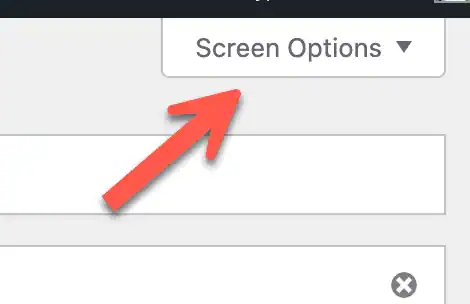
You can choose whether or not to show the metabox. When in editing mode locate the “Screen Options” link up to the right of the page.
Understanding Your Results
For detailed information on interpreting your SEO analysis results and how to fix common issues, see: Understanding SEO Analysis Results